How to make a Bible verse card
The preview changes as soon as you change a setting. On a phone, the preview sits at the top. When you're happy with it, tap Save PNG and you'll get the same card you see.
- Choose the words. Pick a theme like Peace, Hope, or When you're anxious, or search by reference or word, like "Psalm 23" or "morning." A verse from the random Bible verse tool comes straight here when you tap "Make a card with this verse."
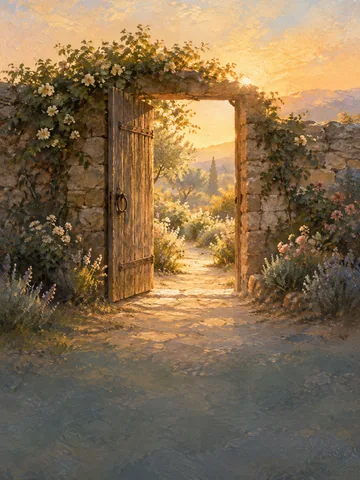
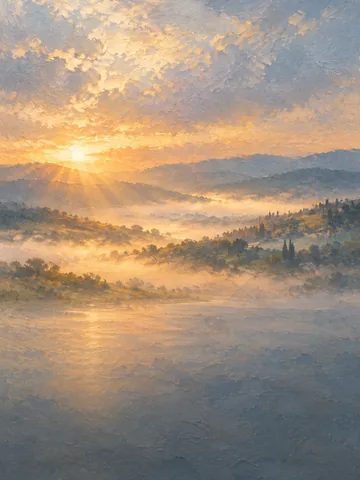
- Choose a background. There are 30 paintings, the same ones used for verse cards in the Meloa app: a lake at dawn, an open garden door, lilies of the field, a lamp by a night window, and more. When you change the verse, a painting that fits its theme is picked first. Once you choose one yourself, it stays.
- Choose a size. Use the table below.
- Adjust the lettering. Use a smaller size for long verses, dark text on bright pictures, and the band behind the text on busy pictures.
- Save or share. In phone browsers that support the share sheet, a Share button appears.
| Size | Saved as | Good for |
|---|---|---|
| 9:16 | 1080×1920 | Phone wallpaper and lock screen, full-screen story posts |
| 4:5 | 1080×1350 | Portrait photo posts, cards sent in a message |
| 1:1 | 1080×1080 | Square posts, a small image for a church bulletin or newsletter |
For 4:5 and 1:1, the 9:16 painting is trimmed at the top and bottom. The crop keeps both the scene at the top and the open space for text at the bottom.
Making a card with your own words
Choose "My own words" to write up to 200 characters. Try a line of comfort for a friend, a one-line prayer for yourself, or a thought from a sermon in your own words. Leave the reference box blank and nothing shows on the card.
Translation and credit
The verses in the list come from the Berean Standard Bible (BSB). Its publisher dedicated it to the public domain on April 30, 2023, and says all uses are freely permitted. Credit is welcome but not required, and the publisher asks that changed versions not use the Berean name. That's why the verse text can't be edited here, and "BSB" appears in small type at the bottom of each card.
The small meloa.arclair.com line at the bottom can't be turned off. It lets people see where the card came from as it gets passed around, and it's kept small. Cards with your own words don't show a translation name.
How to set it as your phone wallpaper
A card saved at 9:16 goes into your photos. Then follow these steps. Menu names can differ a little by device and software version.
- iPhone: Open Settings → Wallpaper → Add New Wallpaper → Photos. Pick the card and tap Add. To use it on both screens, choose Set as Wallpaper Pair.
- Pixel: Touch and hold an empty spot on the Home screen → Wallpaper & style → Change wallpaper → Choose a photo. Pick the screen, then tap Preview → Apply.
- Galaxy: Open the card in Gallery → More options → Set as wallpaper → choose Home screen, Lock screen, or both.
The lock screen puts the clock near the top and buttons in the bottom corners. So on 9:16 cards the text sits in the lower middle, with room left at the sides and the very bottom. On phones taller than 9:16, the sides may be trimmed a little, but the text usually stays in view. For exact steps, check the Apple, Google, and Samsung pages in the sources.
Questions
Can I use the cards in a church bulletin or on social media?
Yes. The verses in the list are from the Berean Standard Bible, which is in the public domain, and the backgrounds were made by Meloa. Please keep the translation name and meloa.arclair.com at the bottom of the card.
Can I make a card with the NIV, ESV, or KJV?
Those aren't in this tool. The NIV and ESV are under copyright and have their own permission rules. We couldn't confirm the King James Version's status in the UK, so we left it out too. The BSB is free to use.
What size are the saved images?
9:16 saves at 1080×1920, 4:5 at 1080×1350, and 1:1 at 1080×1080 pixels, all as PNG. The file matches the preview.
Is my text uploaded anywhere?
No. Your words and the card are drawn on a canvas in this browser and aren't sent anywhere. They're gone when you close the page.
The text is hard to read on the picture. What can I do?
Turn on 'Band behind text,' or switch the text color to Dark on a bright picture. A smaller text size also leaves more room around the words.